Best Free Website Builders for Small Business in 2026
15 Minute Read
Key takeaways
Understand the best website builders available for free in 2026.
Identify the unique features and limitations of each platform.
Determine the ideal website builder for specific business needs.
Learn how to create a professional website on a limited budget.
In 2026, your website isn't just a nice-to-have — it's your storefront, your first impression, and often your best salesperson, all rolled into one. For small business owners, especially those running local service businesses like cleaning companies, lawn care, pest control, or mobile detailing, having a professional online presence is essential for getting found and winning new customers.
The challenge? Most small business owners don't have time to learn web design. They're out on jobs, answering calls, and managing crews — not sitting behind a laptop tweaking CSS. That's why choosing the right website builder matters so much. You need something that gets you online fast, looks professional, and doesn't require a computer science degree.
We've tested and compared the best free and affordable website builders for small businesses in 2026. Whether you're just getting started or looking to upgrade from whatever you cobbled together last year, this guide will help you find the right fit. We'll start with our top pick and work through the alternatives so you can make an informed decision.
Our Top Pick: Mixo — The Fastest Way to Get Your Business Online
Full transparency: we're the team behind Mixo, so yes, we're biased. But we wouldn't put ourselves at the top of this list if we didn't have the foundation to back it up — a 4.8/5 rating on Trustpilot, thousands of small business owners using the platform daily, and consistent feedback from customers that Mixo got them online faster than anything else they tried. We've done our best to give every builder on this list a fair review, and we'll let you judge for yourself.
If you're a local service business owner — a cleaner, plumber, landscaper, pest control operator, or any kind of tradesperson — Mixo is the builder we recommend first. Here's why: while other platforms on this list require you to choose templates, drag and drop elements, write your own copy, and source your own images, Mixo does all of that for you in seconds using AI.
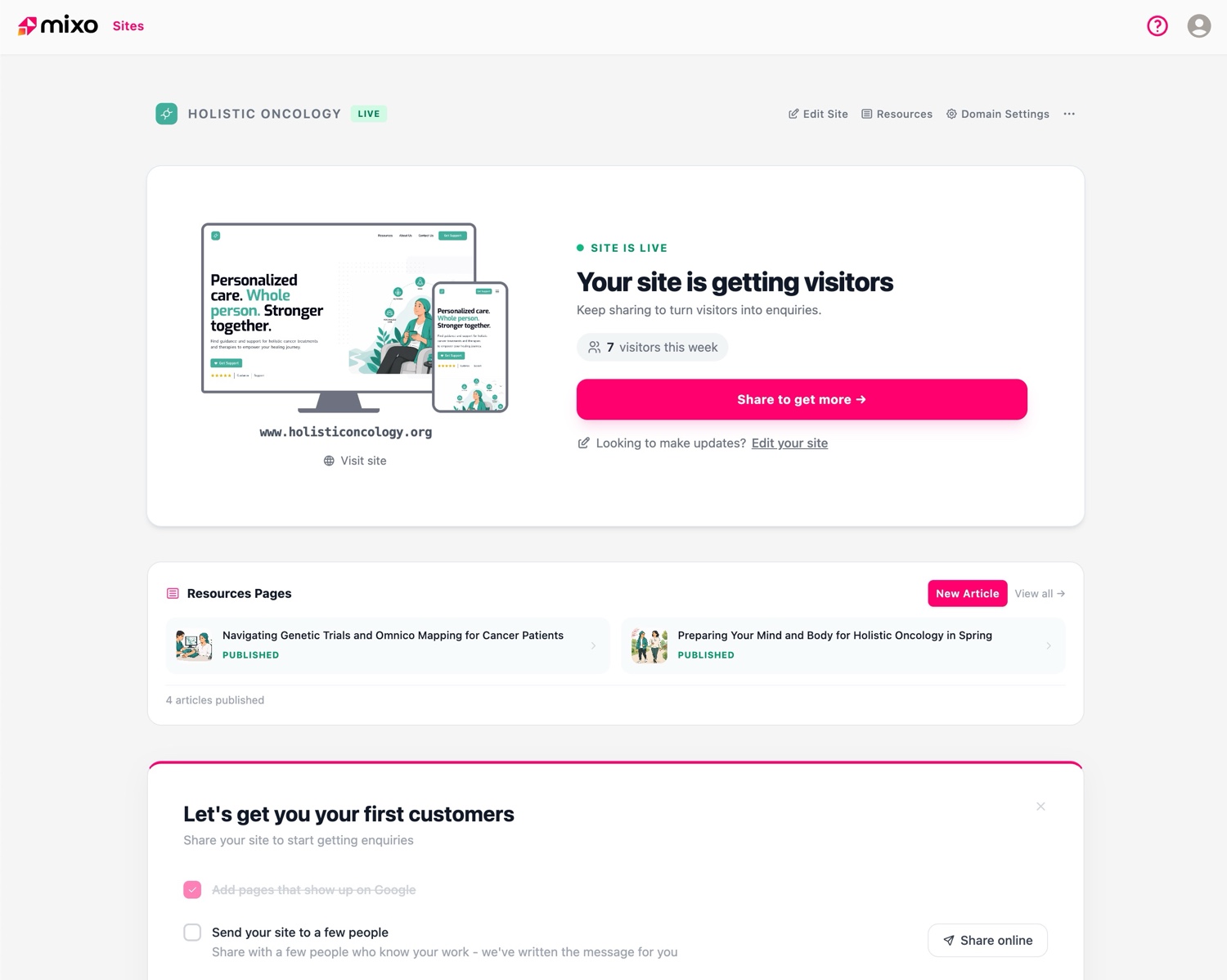
Describe your business in a sentence or two, and Mixo generates a complete, professional website — with written content, images, a contact form, and a layout that's ready to go live. No design skills needed. No hours spent tweaking layouts. For someone who's out on jobs all day and just needs a site that captures leads while they work, that speed advantage is hard to overstate.
Mixo AI website builder generating a professional site for a local service business in seconds.
What makes Mixo stand out:
Unlike traditional builders where you start with a blank canvas or a generic template, Mixo's AI understands your business type and creates tailored content from the start. The sites it generates aren't cookie-cutter — they include relevant copy, appropriate imagery, and conversion-focused layouts with built-in lead capture forms and automated follow-up.
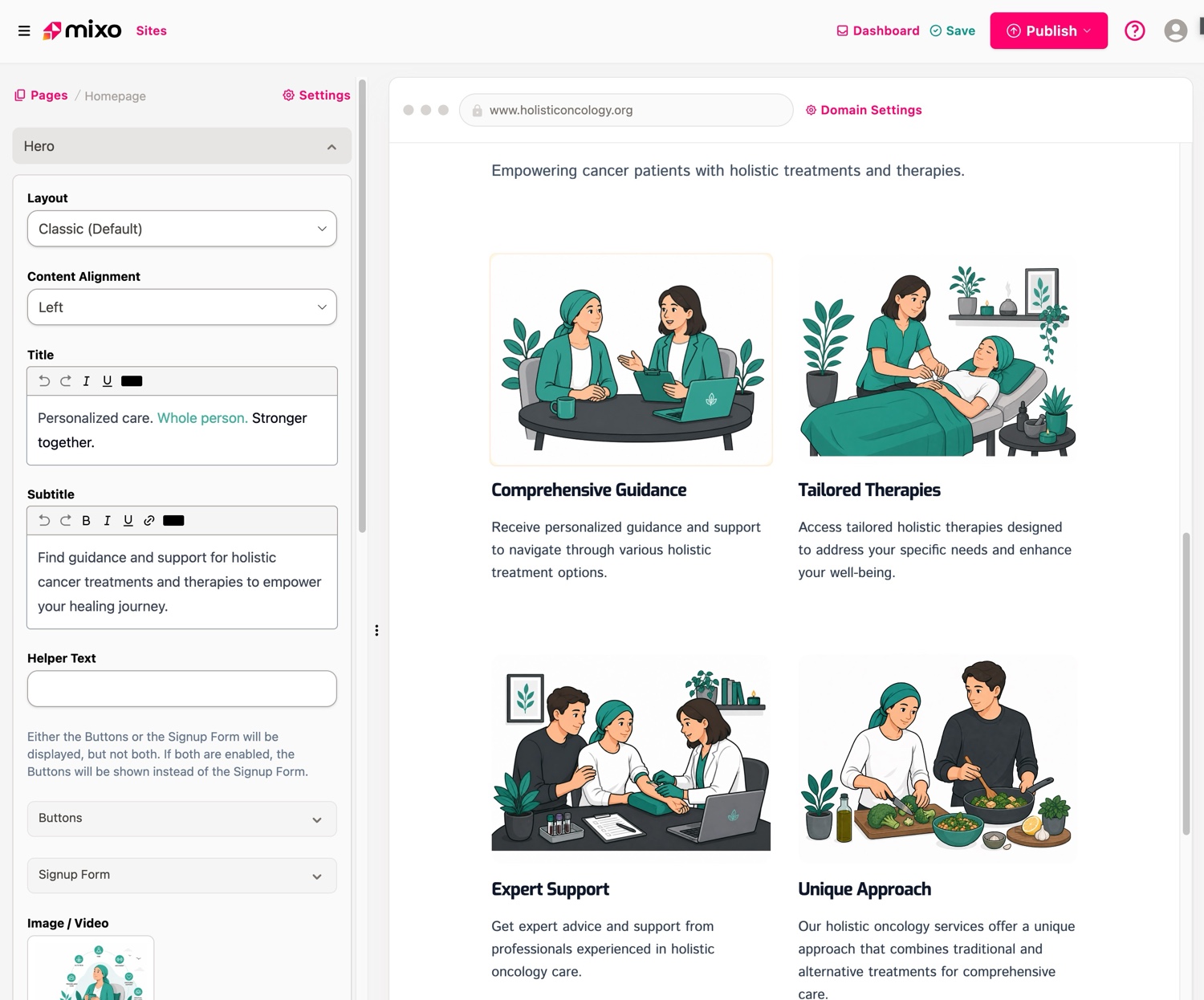
Mixo's intuitive website editor showing how easy it is to customize your AI-generated site.
Built for local service businesses: Mixo is specifically designed for the types of businesses that don't have a marketing team — cleaners, lawn care operators, mobile detailers, pool services, pressure washers, appliance repair techs, pet service providers, and local trades. The AI knows how to position these businesses and write copy that converts visitors into leads.
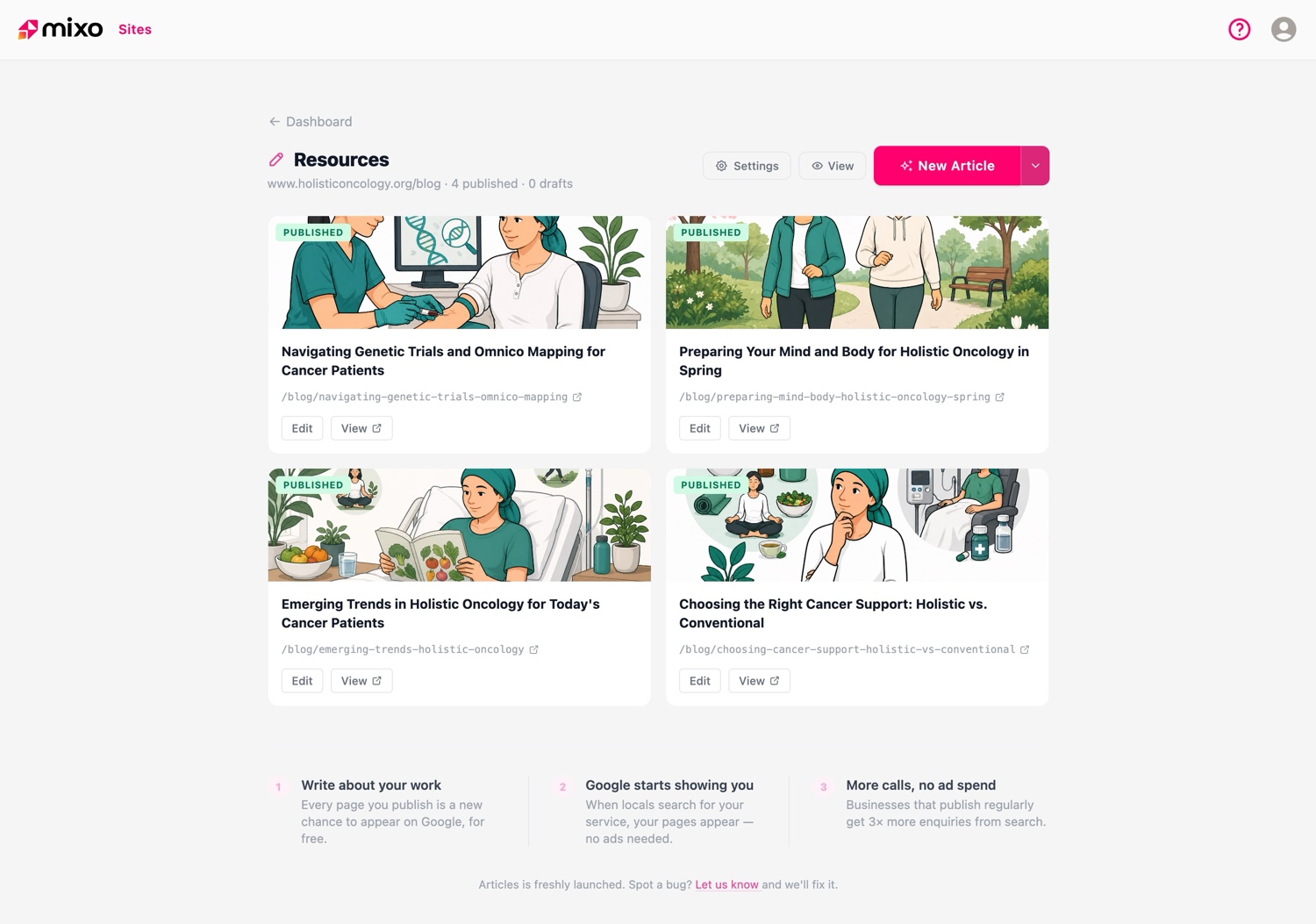
Mixo's built-in blog feature with unlimited articles included on paid plans.
Pricing: Mixo has a completely free plan — not a trial, but a genuinely free tier you can use to get your site live. When you're ready to level up, paid plans start at $16/month and include a custom domain (with a free domain included), no Mixo badges, unlimited blog articles, and full access to the editor. That's the same price as Wix's Combo plan or Squarespace's entry tier, but with the advantage of AI doing the heavy lifting for you. For more details, check the pricing page.
Social proof: Mixo is rated 4.8 out of 5 on Trustpilot, with thousands of small business owners using the platform to get online quickly. If you value your time and want a professional result without the learning curve, Mixo is the clear winner.
What to Consider When Choosing a Website Builder
Before we dive into the other options, here's what matters most when picking a website builder for your small business.
Speed to launch: How quickly can you go from zero to a live website? For busy business owners, this is often the most important factor. Some builders take hours or even days to set up properly. Others, like Mixo, can have you live in minutes. Consider how much time you're realistically willing to invest.
Cost: Most builders offer free plans, but these come with trade-offs — branded ads, subdomains, and limited features. The real question is what you'll pay once you need the basics like a custom domain and no third-party branding. Compare the jump from free to paid, not just the free tier.
Ease of Use: If you're not a tech person, look for builders that don't require you to make dozens of design decisions. Drag-and-drop sounds simple, but it still means you need to know what looks good. AI-powered builders remove that burden entirely.
Lead capture: For service businesses, the whole point of a website is to generate enquiries. Make sure your builder includes forms, call-to-action buttons, and ideally some kind of follow-up automation — not just a pretty page that doesn't convert.
Scalability: As your business grows, your website needs to grow with it. Choose a platform that lets you add pages, features, and integrations without having to start over on a different platform.
Wix — A Flexible Powerhouse
Wix has been one of the most popular website builders for years, and for good reason. Its drag-and-drop editor gives you a huge amount of control over your site's design, with hundreds of templates to choose from across virtually every industry. If you enjoy the process of designing and tweaking your website, Wix gives you the tools to do it.
The free plan lets you build a functional site, though it comes with Wix-branded ads and a Wix subdomain (yourbusiness.wixsite.com). To remove the ads and use your own domain, you'll need the Combo plan at $16/month. Higher-tier plans unlock more storage, bandwidth, and e-commerce features.
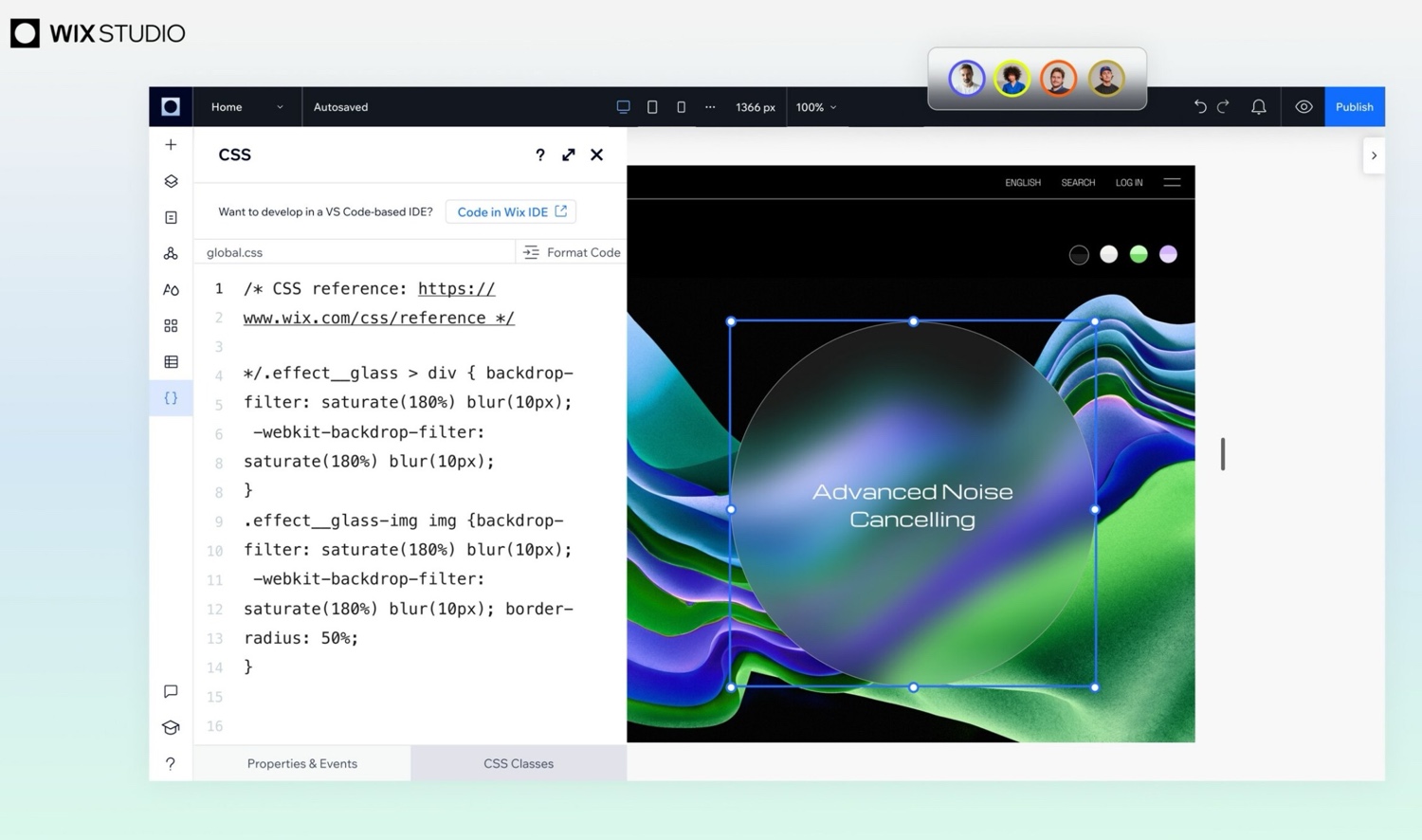
Wix website builder editor interface showing the drag-and-drop design tools.
Best for: Business owners who enjoy hands-on design and want granular control over every element of their website. Wix is great if you have the time and inclination to build something custom.
The trade-off: That flexibility comes at the cost of time. Building a polished Wix site from scratch typically takes several hours at minimum, and the sheer number of options can be overwhelming if you just want something that works. If you'd rather spend that time on your actual business, an AI-powered option like Mixo will get you a comparable result in a fraction of the time.
WordPress.com — The Content King
WordPress.com is the gold standard for content-heavy websites. If your business strategy revolves around blogging, publishing articles, or managing a large volume of written content, WordPress's content management system is hard to beat. It powers a huge percentage of the web for a reason.
The free plan gets you a basic site with a WordPress subdomain (yourbusiness.wordpress.com) and limited customization. You'll see WordPress ads on your site, and the theme options are restricted. To get a custom domain and remove ads, you'll need the Personal plan at $4/month (billed annually), though the Business plan at $33/month is where you unlock the real power of plugins and themes.
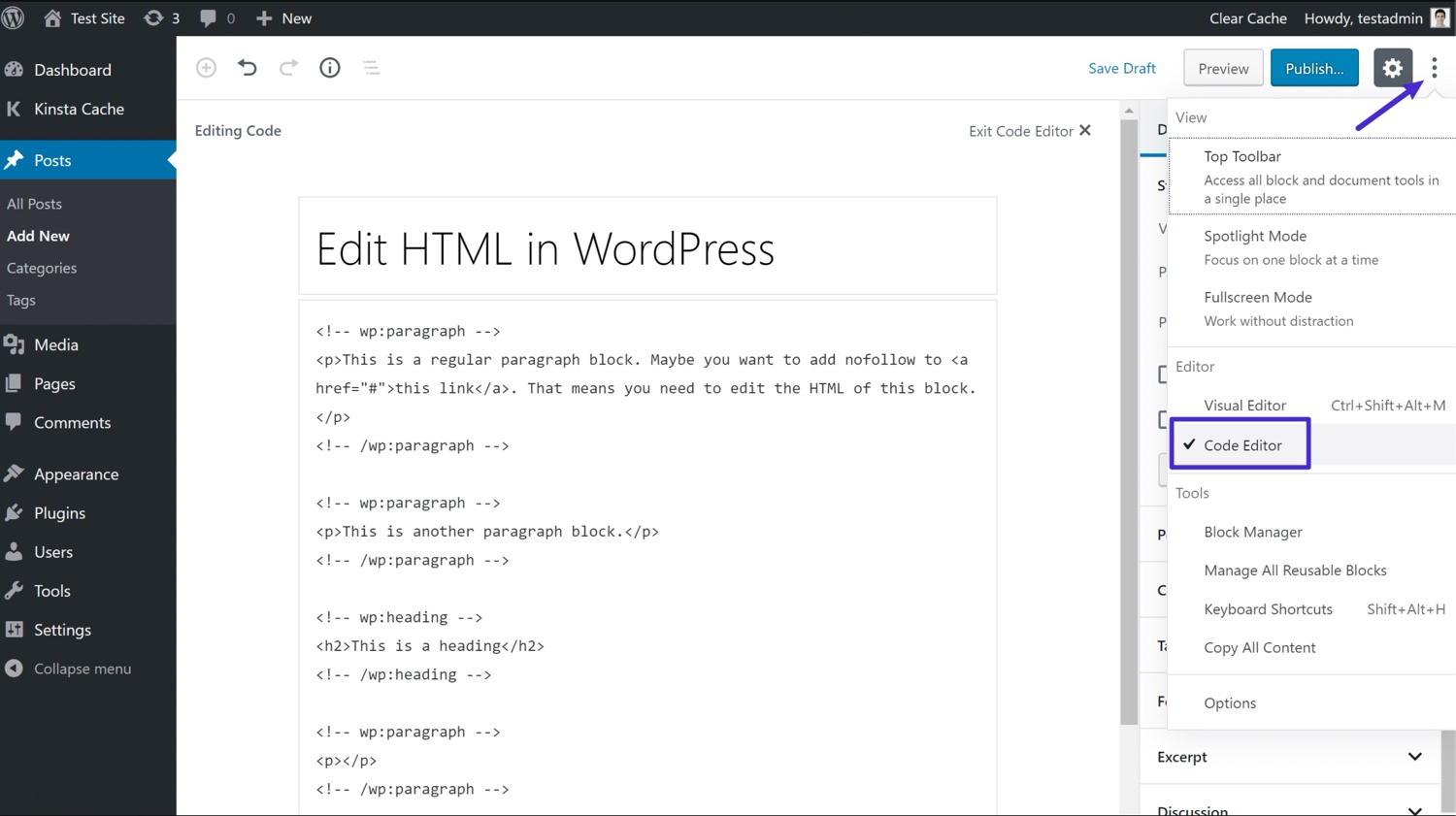
WordPress.com editor dashboard showing the content management interface.
Best for: Businesses that prioritize content marketing, blogging, or need a robust CMS with extensive plugin support. Also a solid choice if you plan to eventually self-host.
The trade-off: WordPress has a steeper learning curve than most other builders on this list. It's powerful but not simple. For a local service business that just needs a professional-looking site with a contact form, WordPress is often overkill — you'll spend time learning a system designed for much more complex use cases.
Squarespace — Best for Creative Businesses
Squarespace is the go-to platform for businesses where visual presentation matters most. If you're a photographer, designer, artist, or creative entrepreneur, Squarespace's templates are among the most polished and visually striking in the industry. The designs look modern and professional right out of the box.
Squarespace doesn't offer a permanent free plan — just a 14-day trial. After that, plans start at $16/month (billed annually). This makes it the priciest option on this list for basic use, but you do get a custom domain, no third-party ads, and access to all templates from day one.
Best for: Creative professionals, portfolios, restaurants, and businesses where brand aesthetics are a top priority.
The trade-off: Squarespace is beautiful but rigid. Customization is more limited than Wix, and there's no free tier to keep costs down while you're getting started. For a local service business like a cleaning company or lawn care provider, the design-forward approach is often more than you need — and you'll pay more for it.
Weebly — Simple and No-Fuss
Weebly keeps things straightforward. Its drag-and-drop editor is one of the simplest in the industry, making it a decent choice for business owners who want to build a basic site without a steep learning curve. The free plan includes up to 500MB of storage and access to core design elements, though your site will display Weebly ads.
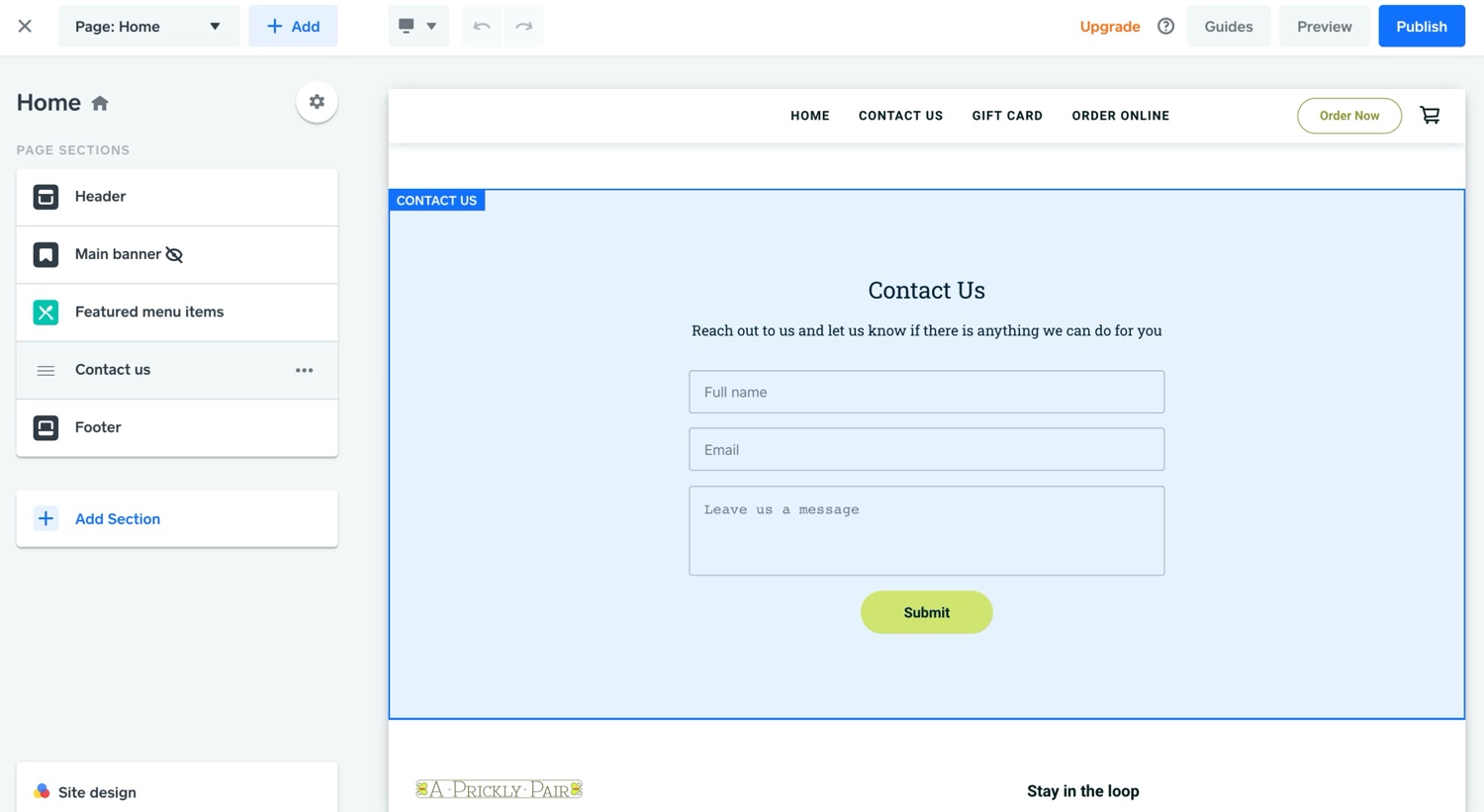
Weebly website builder editor showing the simple drag-and-drop interface.
Best for: Business owners who want a simple, no-frills website and are comfortable with a basic design. Weebly is now owned by Square, so it integrates well if you're already using Square for payments.
The trade-off: Weebly's simplicity is also its limitation. The templates feel dated compared to competitors, and the platform hasn't seen major innovation in recent years. For the same effort it takes to set up a Weebly site, Mixo's AI can generate something that looks more polished and converts better.
Shopify — Perfect for E-Commerce
If your primary goal is selling products online, Shopify is purpose-built for e-commerce. It handles inventory management, payment processing, shipping, and everything else an online store needs. The platform is trusted by millions of businesses worldwide and integrates with virtually every payment provider and marketplace.
Shopify's Basic plan starts at $39/month, making it the most expensive option here. However, for businesses that need robust e-commerce features, the investment is usually worthwhile. The Starter plan at $5/month lets you sell via social media and messaging apps without a full storefront.
Best for: Businesses that sell physical or digital products online and need inventory management, shipping calculations, and multi-channel selling.
The trade-off: Shopify is overkill if you're a service business. If you don't sell products, you're paying $39/month for features you'll never use. For service businesses that just need to capture leads and showcase their work, a platform like Mixo delivers what you actually need — and you can start for free.
Comparing Free and Paid Options
Here's the reality of free website builder plans: they're great for testing the waters, but every single one comes with compromises. The most common limitations are third-party ads on your site, being stuck with a subdomain instead of your own domain name, restricted storage and bandwidth, and limited access to templates and features.
The real cost comparison happens when you look at what it takes to get a professional-looking site — one without someone else's branding, with your own domain, and with the features you actually need. Here's how the paid plans stack up for a basic professional site:
Mixo: Free plan available. $16/month paid — Custom domain (free domain included), no branding, unlimited blog articles, AI-generated content, lead capture forms, automated follow-up. Fastest setup.
Wix: $16/month (Combo) — Custom domain, no Wix ads, 3GB bandwidth. You build it yourself.
WordPress.com: $4/month (Personal) for custom domain and no ads, but $33/month (Business) for plugins and real flexibility.
Squarespace: $16/month — All-in-one with custom domain. No free tier.
Shopify: $39/month (Basic) — Full e-commerce. $5/month Starter for social selling only.
When you factor in the time you'll spend building and maintaining your site, Mixo's value proposition becomes even stronger. An afternoon spent wrestling with Wix templates is an afternoon you're not spending on billable work. For most small business owners, the fastest path to a professional site is also the most cost-effective one.
Common Limitations of Free Website Builders
Free plans are a smart starting point, especially if you're testing an idea or just getting your business off the ground. But it's worth understanding what you're giving up so there are no surprises.
Third-party ads: Most free plans display the builder's own ads on your site. This can undermine your professional image — your potential customers see someone else's branding before they see yours.
Subdomain URLs: Free plans typically give you a URL like yourbusiness.wixsite.com or yourbusiness.wordpress.com instead of yourbusiness.com. This looks less professional and is harder for customers to remember.
Limited storage and bandwidth: If your site gets decent traffic or you use a lot of images, you may hit limits quickly on a free plan. This can mean slow load times or your site going temporarily offline.
Restricted design options: Free tiers typically lock you into a smaller selection of templates and customization tools. Your site may end up looking generic or similar to other sites on the same platform.
No lead capture or automation: Some free plans limit or exclude contact forms, email collection, and follow-up tools — the exact features that turn a website from a digital brochure into a lead generation machine. This is where Mixo's free plan has an edge, since it includes a lead capture form even on the free tier.
Tips for Getting the Most Out of a Free Plan
If you're starting on a free plan, focus on the essentials first. Make sure your business name, what you do, your service area, and a way for customers to contact you are all clearly visible above the fold. Don't get distracted by advanced features you don't need yet.
Take advantage of any built-in SEO tools. Optimize your page titles, meta descriptions, and headings with keywords your customers actually search for — like "lawn care in [your city]" or "house cleaning near me." This is free on every platform and can make a real difference in whether people find you.
Use the templates and pre-designed layouts your builder provides rather than trying to design from scratch. They're built by professionals and will look better than what most non-designers create on their own. Customize with your brand colors and logo, but don't overthink it — a clean, functional site beats a half-finished "perfect" one every time.
Planning for Growth
Your website should be able to grow with your business. When choosing a builder, look at the upgrade path — what do the paid plans offer, and how smoothly can you transition? The last thing you want is to outgrow your platform and have to rebuild from scratch on a different one.
Builders like Mixo are designed with this in mind. You can start with a free plan to test the waters, upgrade to add a custom domain and remove branding when you're ready, and continue to expand your site's features as your business grows. The AI-powered approach also means you can quickly generate new pages or update content without having to learn complex editing tools.
Keep an eye on your traffic and leads. When you notice a steady increase in visitors or enquiries, that's usually the right time to upgrade from a free plan. The ROI on a $16/month website that brings in even one additional customer per month is enormous for most service businesses.
Conclusion and Final Recommendations
For most small business owners — especially those running local service businesses — Mixo is our top recommendation. It's the fastest way to get a professional site online, it's built specifically for the types of businesses that don't have time to learn web design, and it has a completely free plan to get started. When you're ready to upgrade, $16/month gets you a custom domain, no branding, and unlimited blog articles. The AI handles the heavy lifting so you can focus on your actual work.
Choose Wix if you enjoy hands-on design and want maximum control over your layout. Choose WordPress.com if content marketing and blogging are central to your strategy. Choose Squarespace if you're a creative professional and visual aesthetics are your top priority. Choose Shopify if you're selling products online and need real e-commerce infrastructure.
But if you just want a professional website that captures leads and makes your business look great — without spending hours building it — give Mixo a try. It's free to start, and most business owners have their site live within minutes.
Explore the necessity of having a website for your business and debunk common misconceptions business owners have about not needing one. Learn the top reasons a website is crucial for growth and customer engagement in 2026.